
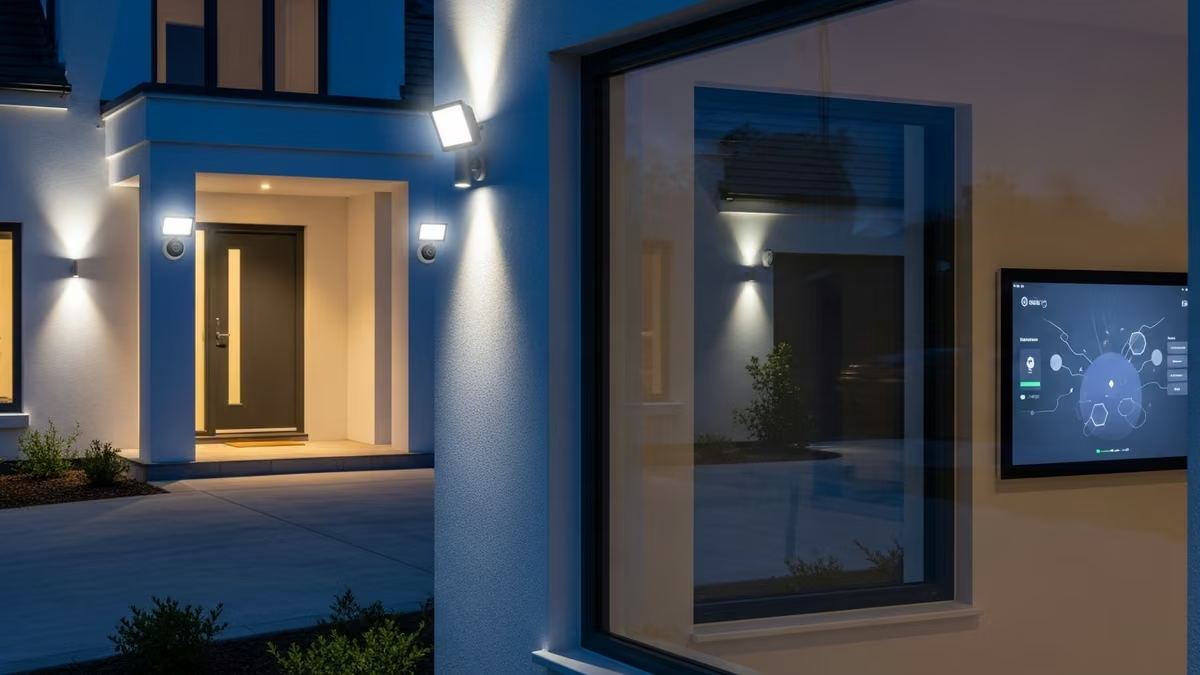
Security camera smart lighting integration automation is transforming how homeowners and businesses protect their properties while optimizing energy use. By connecting security cameras with intelligent lighting systems, you create a unified defense strategy that deters intruders, enhances visibility, and responds automatically to threats—all without manual intervention.
At Yanke Digital, we’ve designed countless integrated systems that combine surveillance with smart lighting to deliver both security and efficiency. This guide walks you through how these systems work, why they matter, and how to implement them in your space.
What Is Security Camera Smart Lighting Integration?
Security camera smart lighting integration automation refers to the seamless connection between your surveillance cameras and intelligent lighting controls. When motion is detected by a camera, lights automatically activate. When a door opens unexpectedly, floodlights illuminate the area. When the sun sets, your system adjusts brightness based on security zones.
This isn’t just about convenience—it’s about creating layers of protection. Automated lighting serves as both a deterrent and a practical tool for capturing clear footage. Intruders avoid well-lit properties. Your cameras record in optimal conditions. Your energy costs drop because lights only activate when needed.
How Motion-Activated Lighting Enhances Security
Motion-activated lighting systems are one of the most effective deterrents available. When someone approaches your property, lights flood the area instantly. This sudden illumination startles potential intruders and makes them highly visible to neighbors and passing traffic.
Your security cameras benefit directly from this automation. Well-lit scenes produce clearer video, sharper facial recognition, and better evidence if an incident occurs. Motion-activated lighting also creates a psychological barrier—criminals know they’ll be exposed the moment they trigger motion sensors.
- Immediate visibility: Intruders are instantly exposed when motion is detected
- Better camera footage: Adequate lighting improves video quality and detail
- Psychological deterrent: Criminals avoid properties with active surveillance and lighting
- Neighbor awareness: Sudden lighting alerts nearby residents to unusual activity
- Evidence quality: Clear footage is more valuable to law enforcement
Energy Efficiency Through Intelligent Automation
One of the biggest advantages of security camera smart lighting integration automation is energy savings. Traditional outdoor lighting runs all night, consuming significant power. Smart systems activate lights only when motion is detected or when conditions warrant it.
Imagine a commercial building where perimeter lights stay off until someone approaches. Or a residential property where floodlights activate only during security events. Over a year, these automations can reduce outdoor lighting energy consumption by 40-60%, lowering utility bills while maintaining security.
Smart thermostats and environmental sensors can also integrate with your lighting system. If your property uses climate control, the system can adjust lighting based on occupancy and time of day, creating a fully optimized environment.
Key Components of an Integrated System
Professional Security Cameras
Your cameras are the eyes of the system. Modern surveillance systems include motion detection capabilities that trigger lighting automations. Look for cameras with:
- High-resolution sensors for clear identification
- Night vision or infrared capabilities
- Motion detection with adjustable sensitivity
- Integration with smart home platforms
- Cloud or local storage for footage
Smart Lighting Controls
Smart lights and switches form the response layer. These devices receive signals from your cameras and activate instantly. Quality smart lighting includes:
- Dimmable LED fixtures for energy efficiency
- Wireless connectivity (WiFi, Zigbee, or Z-Wave)
- Scheduling and automation capabilities
- Integration with security platforms
- Manual override options
Central Hub or Control Platform
The hub is the brain that connects cameras to lights. It processes motion detection signals and executes automation rules. A robust platform allows you to:
- Create custom automation rules (if camera detects motion, turn on light for 5 minutes)
- Set schedules (lights on at sunset, off at midnight)
- Adjust sensitivity and response times
- Monitor activity remotely via mobile app
- Integrate additional devices (smart locks, thermostats, intercoms)
Motion Sensors and Environmental Detectors
Beyond cameras, dedicated motion sensors provide additional trigger points. Environmental sensors can also inform your system—for example, a flood detector might trigger specific lighting patterns to alert you to water damage.
Real-World Applications for Residential Properties
Residential homes benefit enormously from security camera smart lighting integration automation. Here are practical scenarios:
Front Entrance Protection
A camera above your front door detects motion. Lights activate automatically, illuminating the porch and entry area. You receive a notification on your phone. If it’s a delivery driver, you have clear footage. If it’s an intruder, they’re exposed and deterred. Smart doorbells add another layer—they can trigger additional lighting and allow two-way communication.
Backyard Surveillance
Backyard cameras with motion detection can activate landscape lighting or floodlights when movement is detected. This protects against unauthorized access while keeping your yard visible. You can also schedule lights to activate at sunset for entertaining or outdoor activities.
Driveway and Garage Monitoring
Motion-activated lighting in driveways deters package theft and vehicle break-ins. When someone approaches your garage, lights activate and cameras record. Smart garage door openers can integrate with the system, adding another layer of access control.
Commercial Applications and Multi-Dwelling Solutions
Commercial buildings and multi-family properties face unique security challenges. Security camera smart lighting integration automation scales effectively across larger properties.
Office Buildings and Retail Spaces
After-hours security is critical. Integrated systems can activate perimeter lighting when motion is detected, deter break-ins, and provide clear footage for law enforcement. Parking lot cameras with motion-activated lighting reduce theft and vandalism. Interior motion sensors can activate lights in unoccupied areas, improving both security and energy efficiency.
Apartment Buildings and Condos
Multi-dwelling properties benefit from centralized control. Property managers can monitor common areas—lobbies, hallways, parking garages, and courtyards—from a single dashboard. Motion-activated lighting in hallways improves safety for residents while reducing energy waste. Intercom systems integrated with cameras and lighting create comprehensive access control.
Setting Up Your Security Camera Smart Lighting Integration
Step 1: Assess Your Property and Security Needs
Before purchasing equipment, identify vulnerable areas. Where do you need cameras? Which zones require motion-activated lighting? Are there specific entry points to protect? For residential homes, this might be front and back doors, driveways, and patios. For commercial buildings, consider parking areas, loading docks, perimeter zones, and entry points.
Step 2: Choose Compatible Platforms
Not all cameras and lights work together seamlessly. Select a platform that supports both surveillance and lighting control. Popular options include systems that work with Apple HomeKit, Amazon Alexa, or dedicated security platforms. Ensure your chosen system offers robust automation capabilities and local control (not just cloud-dependent).
Step 3: Install Cameras with Motion Detection
Position cameras to cover entry points and vulnerable areas. Ensure they have clear sightlines and adequate power (either hardwired or battery-powered with regular charging). Configure motion detection sensitivity—too high and you’ll get false alarms; too low and you’ll miss real threats.
Step 4: Install Smart Lighting
Place smart lights in areas where motion detection should trigger illumination. Outdoor floodlights, porch lights, and pathway lights are ideal candidates. Ensure lights are positioned to illuminate the areas your cameras monitor.
Step 5: Create Automation Rules
Use your central hub to create rules. For example: “If front door camera detects motion between 10 PM and 6 AM, turn on front porch light for 5 minutes.” You can create multiple rules for different zones and times of day. Test each automation to ensure it works as expected.
Step 6: Test and Optimize
Walk through your property and trigger motion sensors. Verify that lights activate appropriately and cameras capture clear footage. Adjust sensitivity, timing, and brightness as needed. Check that your mobile app provides real-time notifications and footage access.
Common Challenges and Solutions
False Alarms from Motion Sensors
Animals, wind-blown debris, and passing vehicles can trigger false alarms. Solution: Adjust motion sensor sensitivity, create exclusion zones, or use advanced detection that distinguishes between human movement and other activity.
Lighting Timing Issues
Lights that stay on too long waste energy; lights that turn off too quickly miss important activity. Solution: Customize timing for each zone. Outdoor perimeter lights might stay on for 10 minutes after motion detection, while interior lights might turn off after 2 minutes of no activity.
Integration Complexity
Connecting multiple brands and platforms can be frustrating. Solution: Work with a professional integrator who understands compatibility and can design a cohesive system. Yanke Digital specializes in custom smart home integration and can simplify the process, ensuring all devices communicate seamlessly.
WiFi and Connectivity Issues
Outdoor cameras and lights need reliable connectivity. Weak WiFi signals cause delays or failures. Solution: Invest in a robust WiFi mesh network or use hardwired connections where possible. Some systems support local control, meaning automations work even if internet is down.
Best Practices for Maximum Effectiveness
- Layer your defenses: Combine cameras, lighting, smart locks, and alarm systems for comprehensive protection
- Use scheduling: Vary lighting patterns so your property doesn’t appear vacant. Randomize when lights activate
- Monitor remotely: Set up mobile notifications so you’re alerted to motion detection in real-time
- Maintain equipment: Clean camera lenses regularly, test motion sensors monthly, and keep firmware updated
- Document footage: Store video securely in the cloud or on local servers. Retention policies vary by jurisdiction
- Educate occupants: Ensure family members or employees understand how the system works and can use it effectively
- Plan for growth: Choose systems that can expand as your needs change. Add cameras, lights, or sensors without replacing the entire setup
Why Professional Integration Matters
While DIY smart home kits are available, professional integration delivers superior results. A trained integrator:
- Assesses your property and identifies optimal camera and light placement
- Selects compatible equipment that works together seamlessly
- Handles installation, wiring, and network configuration
- Programs complex automation rules tailored to your needs
- Provides training so you can confidently use the system
- Offers ongoing support and maintenance
At Yanke Digital, we design custom software systems that bring intelligent technology to your home or business. Our custom design and integration services ensure your security camera smart lighting integration automation works flawlessly. We handle everything from initial consultation through installation and ongoing support.
Future-Proofing Your System
Technology evolves rapidly. A well-designed system accommodates future upgrades. Consider:
- Scalability: Can you add more cameras and lights without replacing the hub?
- Platform flexibility: Does your system support multiple brands and standards?
- Software updates: Will your platform receive regular updates and security patches?
- AI and analytics: Can your system learn patterns and improve over time?
- Integration with new devices: Will your system work with emerging smart home technologies?
The best security camera smart lighting integration automation systems are designed with flexibility in mind, ready to grow and adapt as your needs change.
Getting Started with Yanke Digital
Ready to transform your space with integrated security and smart lighting? Yanke Digital has designed and installed solutions for residential homes, apartment buildings, and commercial properties across Saskatchewan. We understand that every space is unique, and we work with you to create a system that fits your specific needs and budget.
Our team specializes in simplifying complex technology. We don’t just install products—we design complete, custom solutions that enhance your quality of life and protect what matters most. From initial consultation through installation and ongoing support, we’re with you every step of the way.
Ready to explore how security camera smart lighting integration automation can benefit your property? Contact Yanke Digital today to schedule a consultation. Call us at 1-888-698-8001 or visit our website to learn more about our security and access control solutions.
Let’s design a smart home or business system that works as hard as you do.