Tenant turnover is one of the most expensive operational challenges property managers face. Between rekeying locks, replacing lost keys, handling lockouts, and coordinating emergency access, traditional key-based systems drain both time and money. Smart locks reduce tenant turnover costs by automating access control, eliminating physical key management, and streamlining the entire move-in and move-out process. For property managers in Saskatoon and across Saskatchewan, keyless access control isn’t just a convenience—it’s a financial necessity that pays for itself within months.
The Hidden Cost Structure: Why Traditional Locks Drain Your Budget
Most property managers underestimate the true cost of traditional key management. It’s not just the lock rekeying bill—it’s the cascade of expenses that follow every tenant departure.
- Rekeying and lock replacement: $75–$200 per unit per turnover
- Lost key replacement and lockout calls: $50–$150 per incident
- Vendor and maintenance access coordination: Duplicate keys, tracking, retrieval
- Administrative labor: Scheduling locksmith visits, managing key distribution, documenting access
- Security gaps: No audit trail of who accessed the property or when
For a 20-unit building with 50% annual turnover (10 units), traditional lock management costs $1,500–$3,000 per year in direct expenses alone. Add labor, emergency calls, and security vulnerabilities, and the real cost climbs to $3,000–$5,000+ annually. Smart locks reduce tenant turnover costs by eliminating most of these line items entirely.
How Smart Locks Transform Tenant Turnover Workflows
Traditional Turnover Process (Manual & Fragmented)
- Tenant gives notice; property manager schedules locksmith
- Locksmith rekeys lock (1–2 days, $100–$200)
- New tenant receives physical keys at move-in
- If keys are lost, another lockout call ($50–$150)
- Maintenance and vendors need duplicate keys (security risk)
- No record of who accessed the property or when
Smart Lock Turnover Process (Automated & Streamlined)
- Tenant gives notice; property manager revokes digital access instantly
- New tenant receives temporary access code via mobile app
- Access is automatically revoked on move-out date
- Maintenance and vendors receive time-limited access codes (no physical keys)
- Full audit trail of all entries and exits
- No locksmith call, no rekeying, no lost keys
The difference is dramatic. With smart locks, turnover takes minutes instead of days. There’s no locksmith to schedule, no keys to replace, and no security gaps between tenants.
The Real ROI: Where Smart Locks Deliver Maximum Savings
Direct Cost Savings
- Eliminated rekeying costs: $75–$200 per turnover × annual turnover rate
- No lockout service calls: Tenants reset their own codes or request temporary access
- Reduced key replacement: No physical keys to lose, duplicate, or track
- Simplified vendor access: Time-limited codes instead of duplicate keys
Indirect Cost Savings
- Labor efficiency: No scheduling locksmith visits or managing key distribution
- Faster turnover cycles: Reduce vacancy time by 1–2 days per unit
- Reduced security incidents: Full audit trail eliminates unauthorized access disputes
- Improved tenant satisfaction: Convenient access reduces complaints and support calls
Sample ROI Calculation (20-unit building, 50% annual turnover):
- Annual rekeying savings: 10 units × $150 = $1,500
- Lockout call reduction: 5 calls × $100 = $500
- Labor time savings: 20 hours × $25/hour = $500
- Faster turnover (reduced vacancy): 2 days × $50/day rent = $1,000
- Total annual savings: $3,500–$4,000
- Smart lock system cost: $2,000–$3,000 (one-time installation)
- Payback period: 6–9 months
Smart Locks for Different Rental Property Types
Single-Family Rental Homes
For single-family rentals, smart locks eliminate the need to coordinate key handoffs and simplify emergency access for maintenance. Tenants appreciate the convenience, and property managers gain instant visibility into who accessed the property and when. This is especially valuable for properties managed remotely or across multiple locations.
Multi-Unit Apartment Buildings
Multi-unit properties see the greatest ROI from smart locks. With dozens of units turning over annually, the cumulative savings from eliminated rekeying, reduced lockout calls, and streamlined vendor access are substantial. Smart locks also enable centralized access management for common areas, maintenance rooms, and laundry facilities.
Condos and Co-Living Spaces
Condos and co-living spaces benefit from the security and audit trail capabilities of smart locks. Residents appreciate the modern convenience, and property managers can easily grant temporary access to contractors, inspectors, and emergency services without distributing physical keys.
Key Features to Look for in Smart Locks for Rental Properties
Mobile App and Remote Access
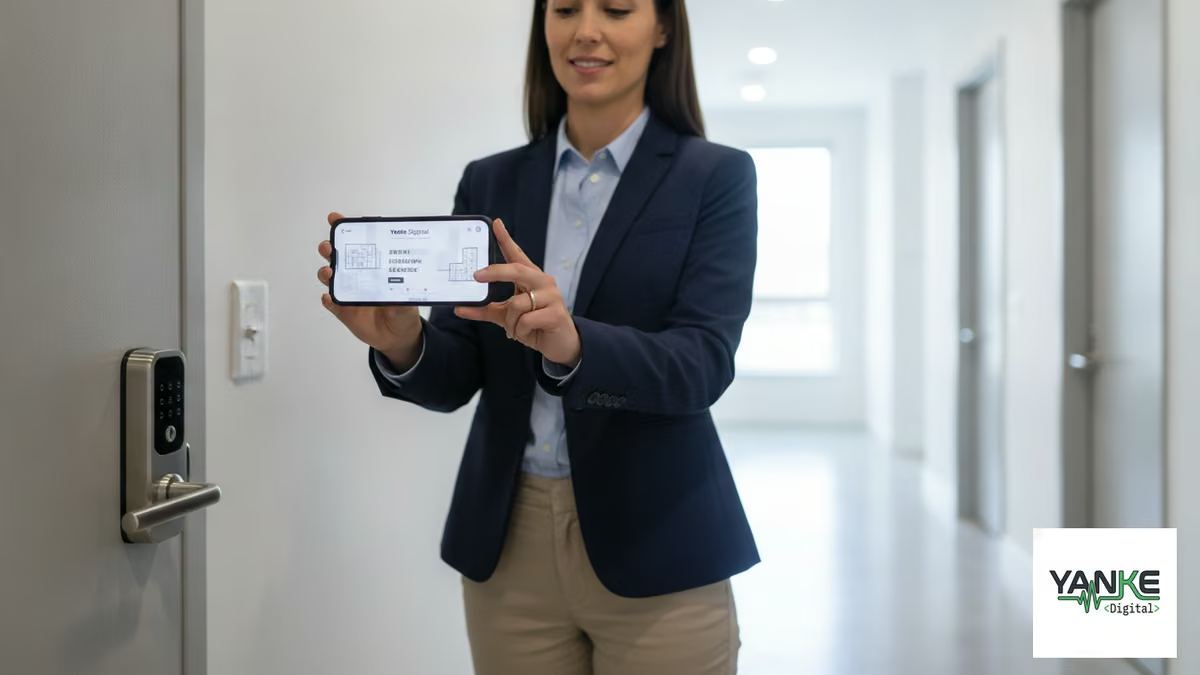
Property managers should be able to grant, modify, or revoke access from anywhere. A mobile app lets you manage access in real-time, even when you’re not on-site. This is essential for emergency situations and last-minute access requests.
Temporary Access Codes
The ability to create time-limited access codes is critical for rental properties. Temporary codes can be set to expire automatically on move-out dates, eliminating the need to manually revoke access. This feature alone reduces administrative overhead significantly.
Activity Logging and Audit Trails
Every entry and exit should be logged with timestamps. This creates an irrefutable record of who accessed the property and when, which is invaluable for resolving disputes, investigating incidents, and maintaining security compliance.
Battery Backup and Reliability
Smart locks must have reliable battery backup and failsafe mechanisms. Look for locks with 12+ month battery life, low-battery alerts, and mechanical override options for emergencies. Connectivity issues should not prevent access to the property.
Integration with Existing Systems
The best smart locks integrate with property management software, security systems, and building automation platforms. This creates a unified control center where you can manage access, monitor cameras, and coordinate maintenance from a single dashboard.
Addressing Common Concerns About Smart Locks
What if the lock runs out of battery?
Quality smart locks have 12–18 month battery life and send low-battery alerts well in advance. Most also include a mechanical override (keypad or physical key) for emergencies. Property managers should establish a battery replacement schedule and test backup mechanisms quarterly.
What about connectivity issues?
Smart locks operate independently of internet connectivity. They store access codes locally and only sync with the cloud when a connection is available. This means the lock functions normally even if WiFi is down. However, remote access management requires internet connectivity, so a reliable network is important for property management efficiency.
Are smart locks as secure as traditional locks?
Yes. Quality smart locks meet or exceed traditional lock security standards. They use military-grade encryption, require authentication for access, and provide audit trails that traditional locks cannot. The added visibility and control actually make smart locks more secure than physical keys, which can be lost, duplicated, or stolen without detection.
What’s the installation process?
Most smart locks replace the interior lock mechanism without requiring door modifications. Installation typically takes 15–30 minutes per lock. Professional installation ensures proper configuration, network setup, and integration with your property management system. A smart lock audit can help identify compatibility requirements and installation priorities for your specific properties.
Implementation Strategy: Phased Rollout for Maximum ROI
Phase 1: Pilot Program (2–4 Units)
Start with a small pilot to test the system, train staff, and gather feedback from tenants. Choose units with higher turnover to maximize learning opportunities. This phase typically lasts 2–3 months and costs $500–$1,500 in hardware and installation.
Phase 2: High-Turnover Units
After validating the pilot, expand to your highest-turnover units. These will deliver the fastest ROI and demonstrate the greatest cost savings. This phase typically covers 25–50% of your portfolio and takes 2–4 months.
Phase 3: Full Portfolio Rollout
Once you’ve proven the system works and trained your team, roll out smart locks across your entire portfolio. Prioritize based on turnover rates, security concerns, and budget. A 20-unit building might complete full rollout in 6–12 months.
Measuring Success: Key Metrics to Track
- Turnover time reduction: Days from move-out to move-in (target: reduce by 1–2 days)
- Rekeying and lockout costs: Direct savings per unit per year
- Administrative labor hours: Time spent on access management and coordination
- Tenant satisfaction: Feedback on access convenience and support quality
- Security incidents: Unauthorized access attempts, disputes, or breaches
- System uptime: Lock reliability and connectivity performance
Track these metrics for 6–12 months to calculate true ROI and identify optimization opportunities. Most property managers see measurable cost savings within the first quarter of implementation.
Why Professional Integration Matters
While smart locks are relatively straightforward to install, professional integration ensures they work seamlessly with your existing systems. A qualified integrator will:
- Assess your current infrastructure and identify compatibility issues
- Design a system that fits your specific workflow and security requirements
- Handle installation, configuration, and network setup
- Integrate with your property management software and other building systems
- Train your team on daily operations, emergency procedures, and troubleshooting
- Provide ongoing support and help with system updates and changes
For property managers in Saskatchewan, working with a local integration partner means faster response times, personalized support, and systems designed around your specific needs. Yanke Digital specializes in smart lock systems and access control for rental properties across Saskatoon and Saskatchewan, offering design, installation, and ongoing support tailored to your portfolio.
The Bottom Line: Smart Locks Reduce Tenant Turnover Costs and Improve Operations
Smart locks reduce tenant turnover costs by eliminating rekeying expenses, reducing lockout calls, streamlining vendor access, and cutting administrative labor. For most property managers, the system pays for itself within 6–9 months, with ongoing savings of $3,000–$5,000+ annually per 20-unit building.
Beyond the financial benefits, smart locks improve tenant satisfaction, enhance security, and give you visibility and control over property access. Whether you manage single-family rentals, multi-unit apartments, or condos, keyless access control is a practical investment that delivers measurable results.
Ready to explore smart locks for your rental properties? Start with a property assessment to understand your current costs, identify high-priority units, and build a phased implementation plan. Our team can help you design a system that fits your budget, workflow, and security requirements—and show you exactly how much you’ll save.
Contact Yanke Digital today at 1-888-698-8001 to schedule your smart lock consultation.